Cephalometric tracing starts from an already imported lateral cephalometric radiograph. OrthoKit guides point placement, calculates measurements and lets you expand the tracing with new structures or analyses.
Before You Start
- Import the patient’s lateral cephalometric radiograph first.
- Check that the radiograph includes a calibration ruler.
- Use tracing as a supervised clinical tool: the result must be reviewed by a professional.
Start the Tracing
- Open the patient and go to radiographs.
- Locate the lateral cephalometric radiograph you already imported.
- Click
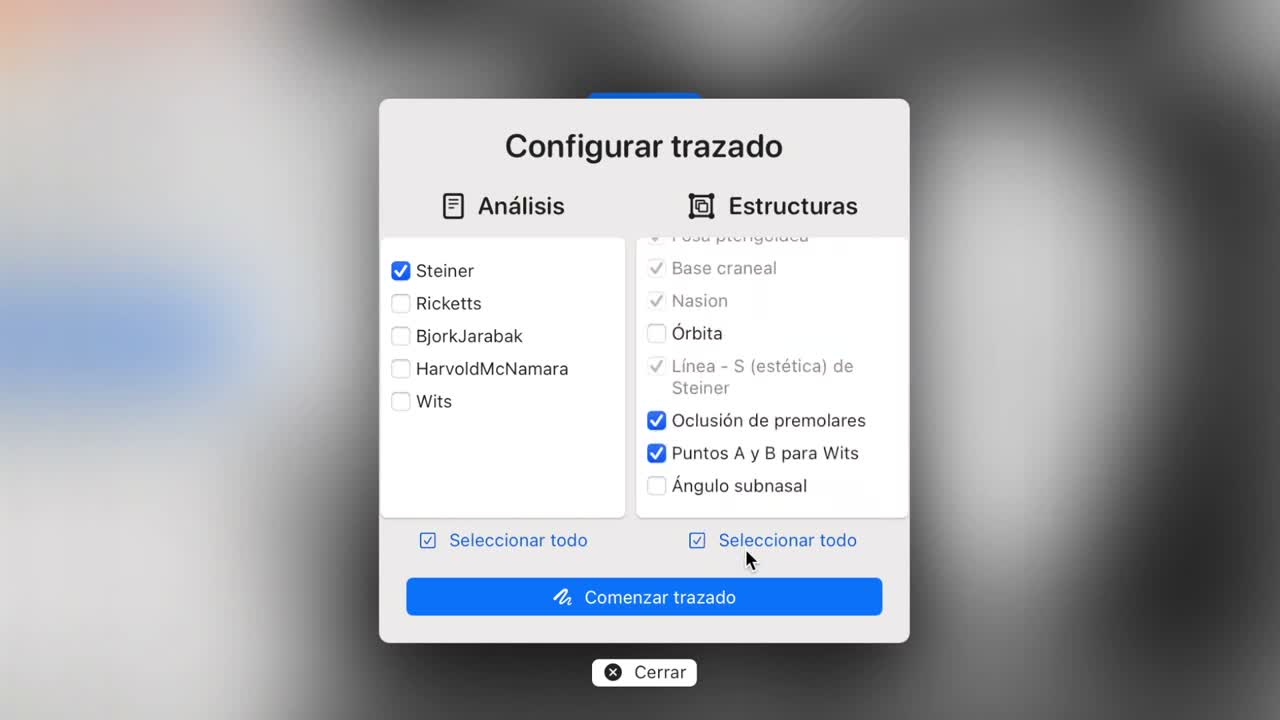
Tracein the upper-right corner. - In the configuration window, review the analysis column and the structures column.
- Select the analysis you want to perform, for example
Steiner. - Leave the mandatory structures selected. They appear in gray and cannot be deselected.
- Click
Start Tracing.
Calibrate and Mark Points
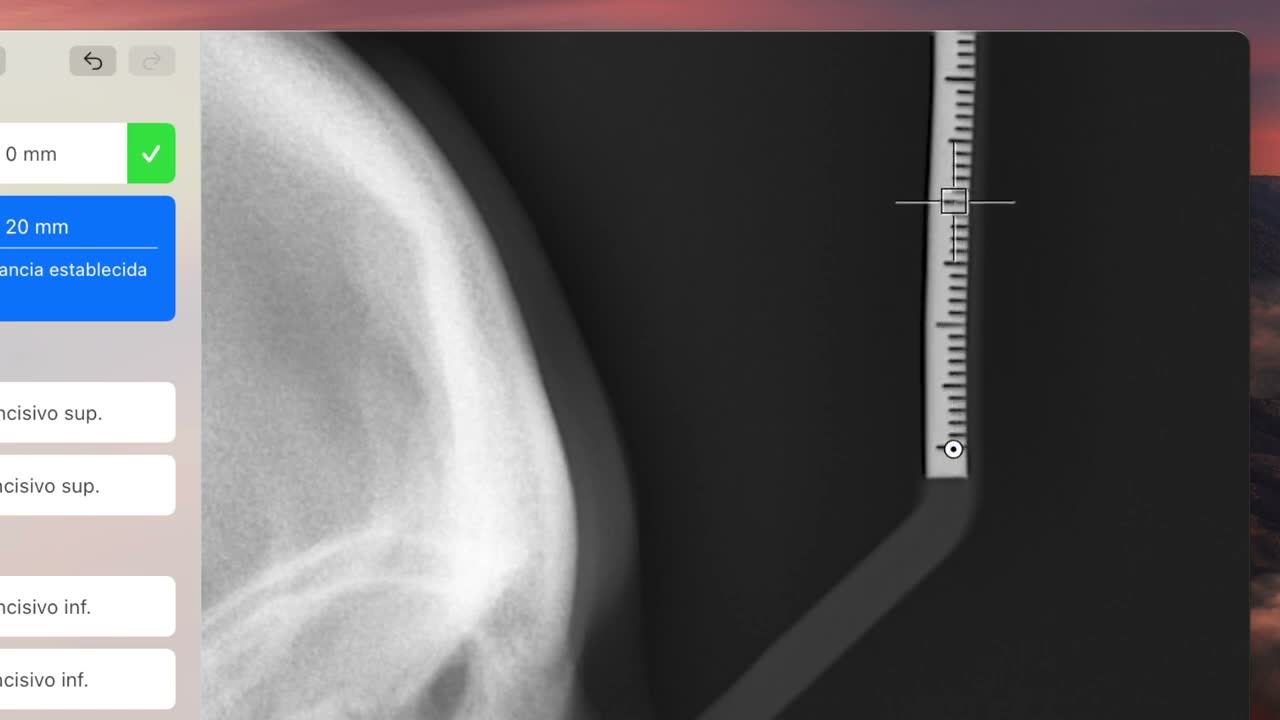
- Start with calibration points
0and20on the radiograph ruler. - Adjust those two points precisely, because the calculated linear measurements depend on them.
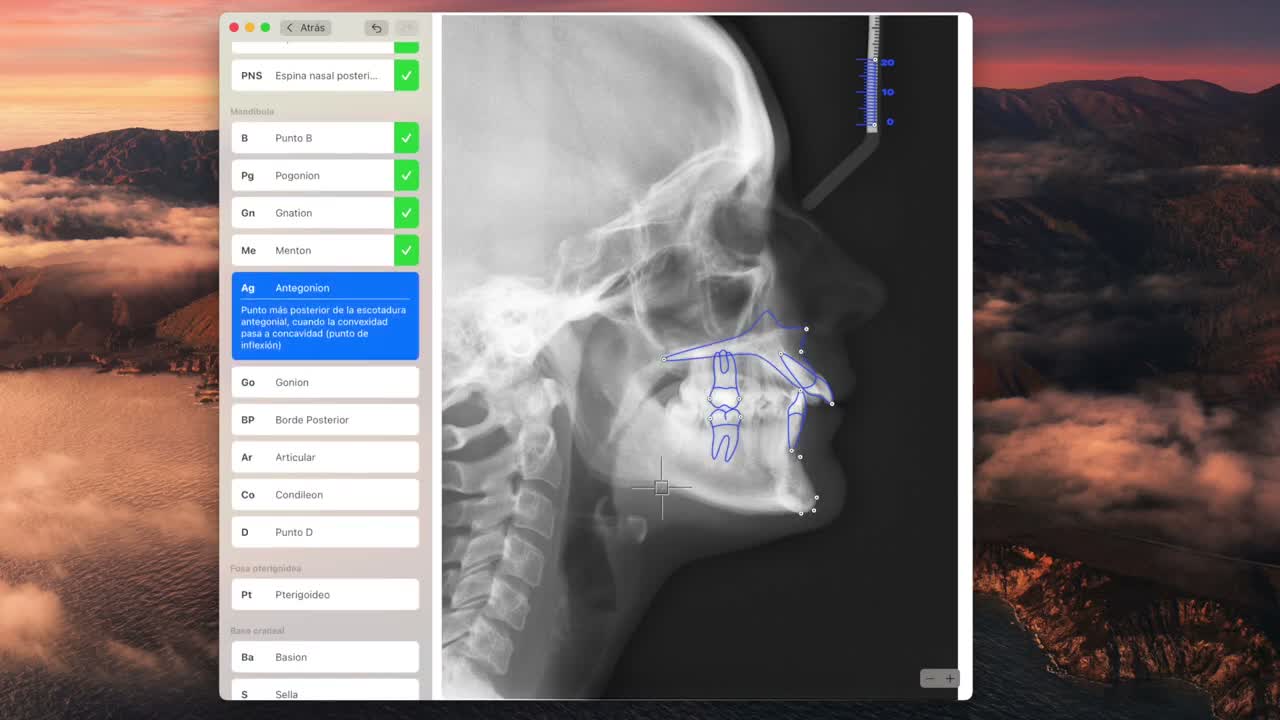
- Continue by marking the point selected in blue in the list on the left.
- Use each point’s description to locate it if you are unsure.
- If a point is misplaced, correct its position before finishing.
- After you mark the last point, OrthoKit saves the analysis and opens the review screen.
Review and Expand the Analysis
- Use the top controls to show or hide the radiograph, structures, points and tracing.
- Switch between essential points and all points if you need to adjust a structure more precisely.
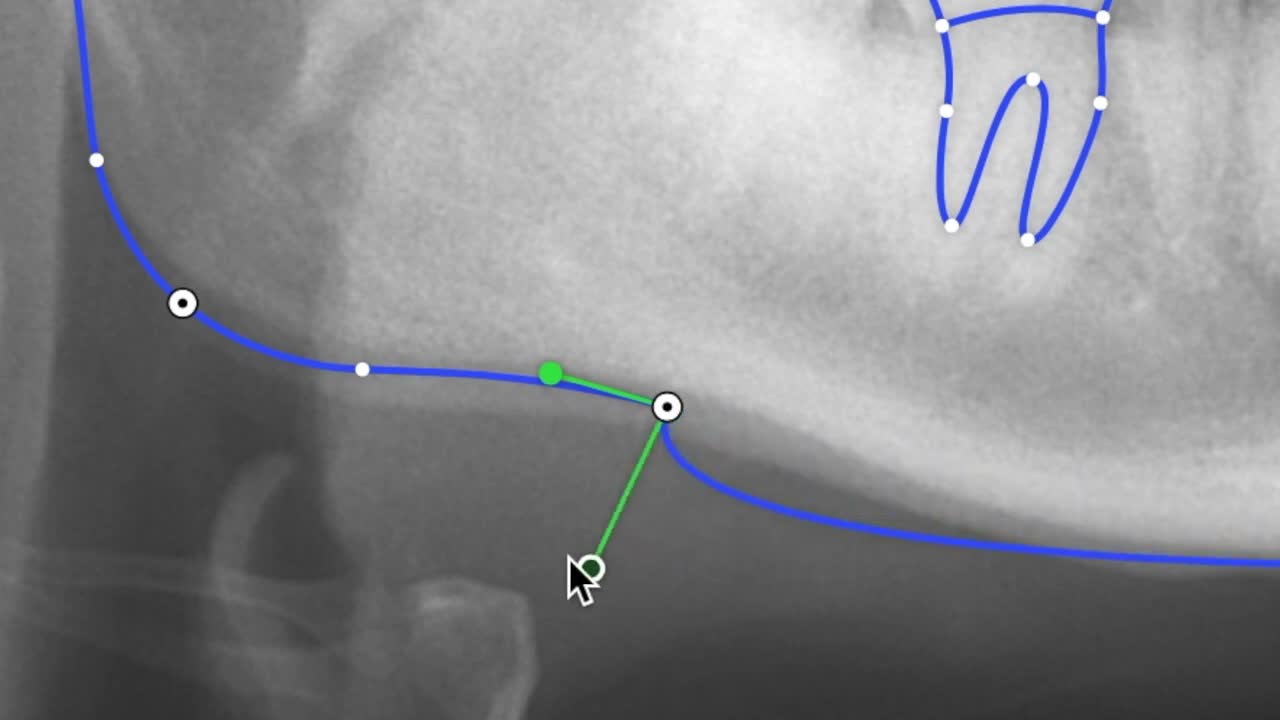
- For advanced curve adjustments, double-click a point and use the additional controls.
- Open the analysis, for example
Steiner, to review the calculated measurements. - Export the analysis if you need to save it outside OrthoKit.
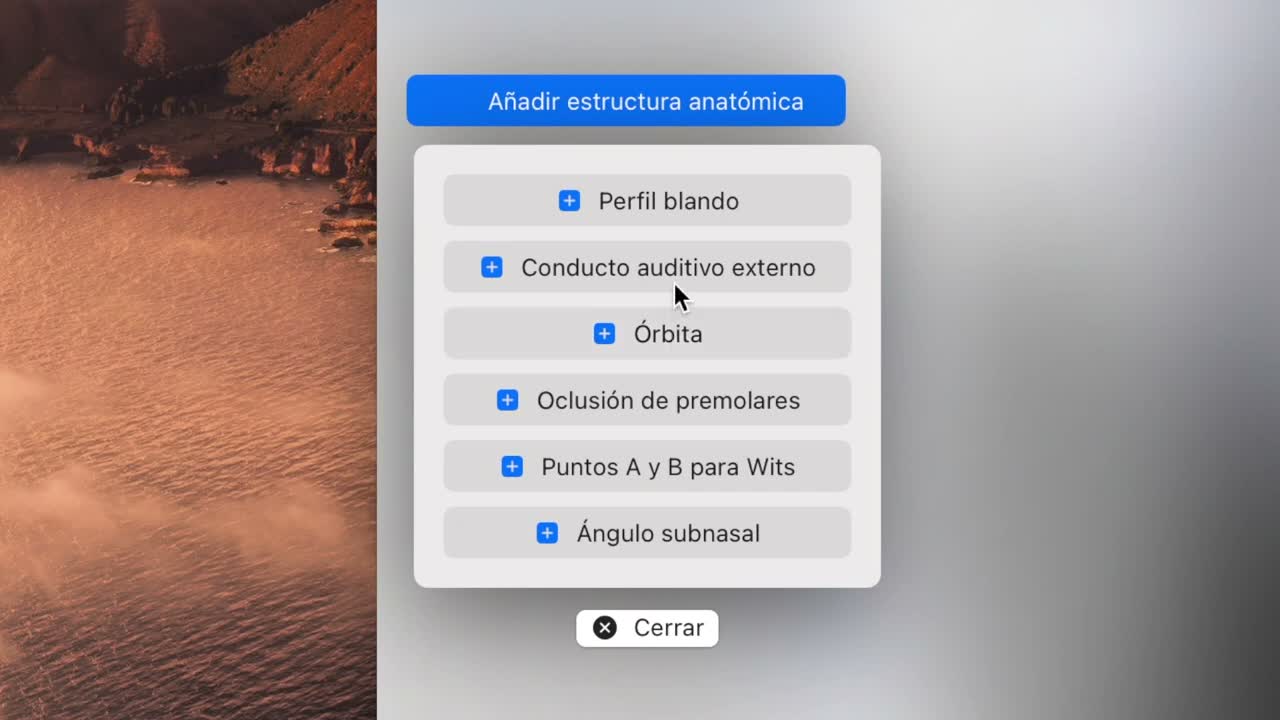
- If you need more structures, click
Add Anatomical Structureand mark the new requested point. - If you need another analysis, add it; OrthoKit will reuse existing points and ask only for the missing ones.
- Use
Share Allif you want to export several analyses from the same radiograph in a single PDF. - Use
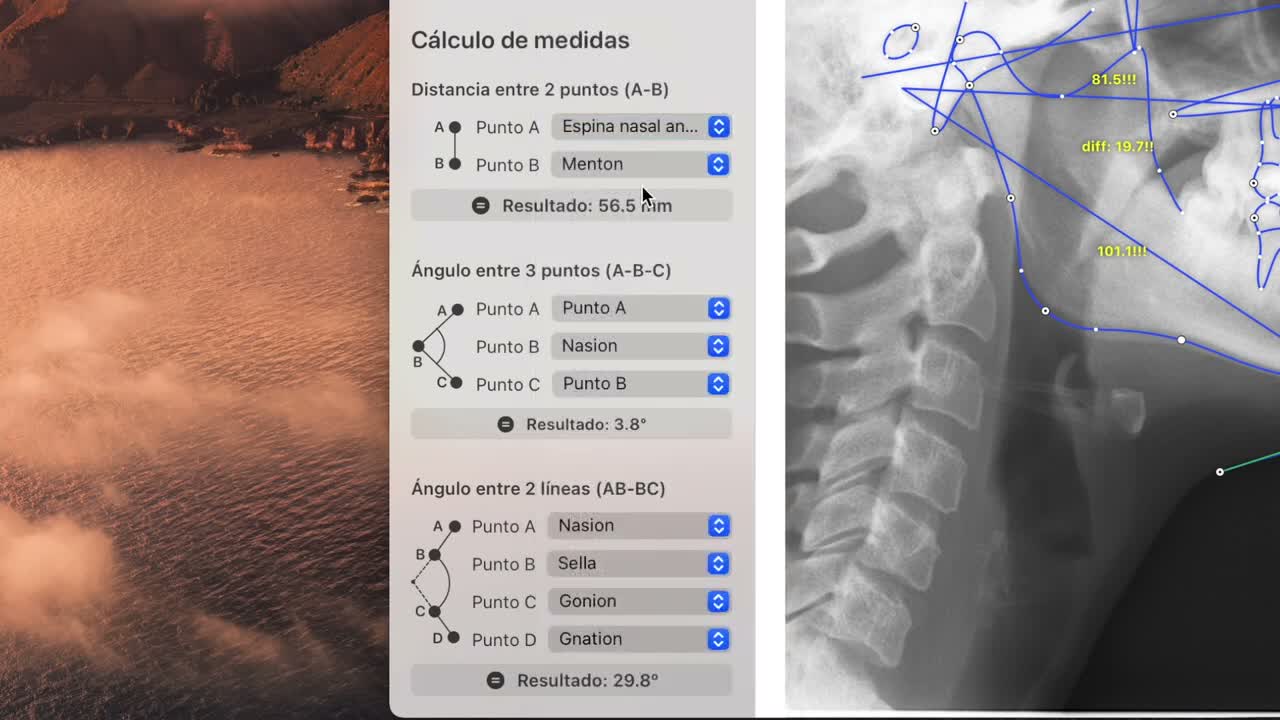
Measurement Calculationto obtain distances or angles that do not belong to a specific analysis.
Clinical Recommendations
- Do not validate a tracing without professional review.
- The
0-20calibration must be precise for linear measurements to make sense. - If the
Tracebutton does not appear, openAnnotationsand confirm that the radiograph is classified as a lateral cephalometric radiograph. - If the radiograph does not allow points to be located clearly, document that limitation before using the measurements.